
In an ever-changing digital world, protecting your IT environment is more crucial than ever. Cyber threats are ever-present and ever-increasing, targeting your most sensitive information. To help you stay safe, there are three complementary solutions: Trend Micro Worry Free for global system protection, Keeper for secure password management, and Mailinblack for email protection. These advanced solutions enhance your digital security with effective, easy-to-use tools.
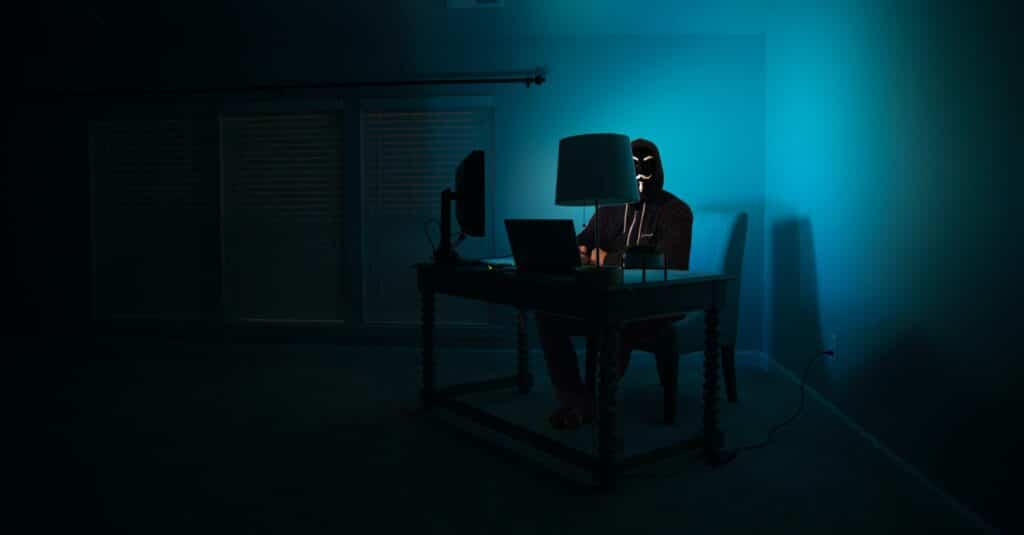
Common threats to IT systems
In today’s digital environment, there are many threats that can have devastating consequences. The most common include:
- Phishing and social engineering
- Ransomware and malware
- Theft of logins and passwords
- Denial of service attacks
- Spam and malicious mail
These threats exploit vulnerabilities in users and systems to steal sensitive information, infect devices or disrupt operations. Cybercriminals are using increasingly sophisticated techniques to circumvent traditional security measures.
Introducing Trend Micro Worry Free
Trend Micro Worry Free is a comprehensive security solution developed by Trend Micro, the world leader in cybersecurity. This security suite offers advanced protection against digital threats, particularly suited to SMEs and independent professionals.
The solution offers real-time protection against:
- Viruses and malware
- Ransomware
- Web threats
- Network attacks
- Intrusion attempts
Its centralised management via the cloud makes it easy to deploy and control the security of all your devices.
Key features of Trend Micro Worry Free
Trend Micro Worry Free offers a comprehensive set of security features:
- Endpoint protection:
- Real-time analysis
- Protection against ransomware
- Securing mobile devices
- Web security:
- Filtering dangerous URLs
- Protection against phishing
- Securing online transactions
- Email protection:
- Filtering attachments
- Analysis of suspect links
- Protection against advanced threats
- Centralised management:
- Intuitive cloud console
- Simplified deployment
- Automatic updates
Keeper’s main features
Keeper is an enterprise-grade password management solution designed to secure access and sensitive credentials. It uses military-grade encryption to protect your credentials.
Main features:
- Secure password storage
- Generation of strong passwords
- Secure sharing of identifiers
- Multi-factor authentication
- Security audit reports
Mailinblack’s main features
Mailinblack is a French email protection solution that stands out for its innovative approach. Its main features include:
- Anti-spam protection:
- Intelligent message filtering
- Automatic learning
- Customisable black/white list
- Anti-phishing security:
- Behavioural analysis
- Sender validation
- Protection against identity theft
- Email management:
- Intuitive user interface
- Customisable quarantine
- Detailed reports
Comparison of the three solutions
These three solutions are complementary and each meets specific needs:
Trend Micro Worry Free:
- Global system protection
- Endpoint security
- Protection against malware
Keeper:
- Secure password management
- Secure access sharing
- Security audit
Mailinblack:
- Email protection
- Anti-spam
- Anti-phishing security
How to choose the right combination of solutions
For optimum protection, we recommend adopting a global approach:
- Assess your specific needs:
- Size of your organisation
- Types of data to be protected
- Available budget
- Consider the technical aspects:
- Compatibility with your systems
- Ease of administration
- Technical support available
- Plan the deployment:
- User training
- Data migration
- Initial configuration
Practical tips to enhance your security
In addition to these solutions, adopt these best practices:
- Password management:
- Use Keeper to generate and store unique passwords
- Activate multi-factor authentication
- Change critical passwords regularly
- System protection:
- Keep Trend Micro Worry Free up to date
- Make regular back-ups
- Train your users in best practice
- Email security:
- Configure Mailinblack correctly
- Raising awareness of the risks of phishing
- Check your security settings regularly
Conclusion and final recommendations
Modern cyber security requires a multi-layered approach. The combination of Trend Micro Worry Free, Keeper and Mailinblack offers complete and complementary protection:
- Trend Micro Worry Free protects your infrastructure
- Keeper secures your access and identifiers
- Mailinblack protects your email
This global approach, combined with good security practices, will enable you to deal effectively with today’s digital threats. Don’t wait until you’re the victim of a cyber attack to take action: implement these solutions now to protect your business.
Frequently asked questions
What is Trend Micro Worry Free and who is it designed for?
Trend Micro Worry Free is a comprehensive security suite developed by Trend Micro to protect SMEs and independent workers. It covers endpoint protection, web security and messaging via a centralised cloud console, enabling simple deployment and unified management of all company devices’ security.
Why use a password manager like Keeper?
Keeper allows you to generate and store unique, complex passwords for each service, eliminating the risk associated with password reuse. Its military-grade encryption protects your credentials, and its secure sharing features make it easier to manage team access while maintaining a high level of security.
How does Mailinblack protect against phishing?
Mailinblack analyses each incoming email using behavioural analysis technology and sender validation. It detects identity theft attempts, filters malicious links and quarantines suspicious messages. Its machine learning capability allows it to continually improve to adapt to new phishing techniques.
Are these three solutions compatible with each other?
Yes, Trend Micro Worry Free, Keeper and Mailinblack are perfectly complementary and designed to work together. Each solution addresses a distinct area of protection: system infrastructure, identity management and email security. Their combination forms a robust security triangle covering the main attack vectors for SMEs.
What is the cost of these solutions for an SME?
The cost varies depending on the size of your organisation and the number of users. These solutions generally offer per-user, per-year pricing. For an SME with 5 to 20 users, the investment remains affordable and generates a significant return by preventing security incidents, the average cost of which far exceeds the cost of licences. Contact Ezohiko for a personalised quote.
Do employees need to be trained to use these tools?
Initial training is strongly recommended to maximise the effectiveness of these solutions, particularly for Keeper and Mailinblack, which require adoption by end users. Ezohiko helps its clients get to grips with these tools, with training sessions tailored to your teams’ technical level to ensure successful adoption.
Are these solutions sufficient on their own to provide protection?
These three solutions provide a solid foundation, but IT security is an ongoing process. It is also important to keep your systems up to date, make regular backups, raise employee awareness of cyber threats and carry out periodic security audits. Ezohiko offers comprehensive support for optimum protection tailored to your environment.
Let’s discuss your situation.
30 minutes, no obligation.
Let’s take a look together at what it would take to ease your IT workload. No sales pitch. Just an honest assessment of the situation.
Your IT architect. Your trusted partner.